

Product Recommendations
Product recommendations put a row of recipe-ranked products anywhere on your storefront: “You may also like” on product pages, “Complete your order” in the cart, “Recommended for you” on the home page. Unlike black-box recommendation widgets, you decide the logic: each placement is driven by a recommendation recipe you can read, edit, and measure.
How it works
Section titled “How it works”A placement is a spot on your storefront (product page, cart, collection page, home page, plus custom slots you can define). You bind a recommendation recipe to each placement, and that recipe decides which products appear there and in what order.
Recommendations are seeded by context:
- Product page: recommendations relate to the product being viewed.
- Cart: recommendations consider everything in the cart, and never repeat what’s already in it.
- Home and custom placements: store-wide picks, ranked by the recipe.
Each recipe also has a source strategy: recommend from the whole catalog, or stay within a scope such as the seed product’s own collection. Rankings refresh automatically as your store’s data changes.
- Create a recommendation recipe (Recipes page → Add recipe → Recommendation recipe). Dynasort seeds proven starting points such as “Bestsellers You May Like” and “Trending Now”.
- Bind it to a placement on the Recommendations page: pick a recipe for each placement you want live and tick Enabled.
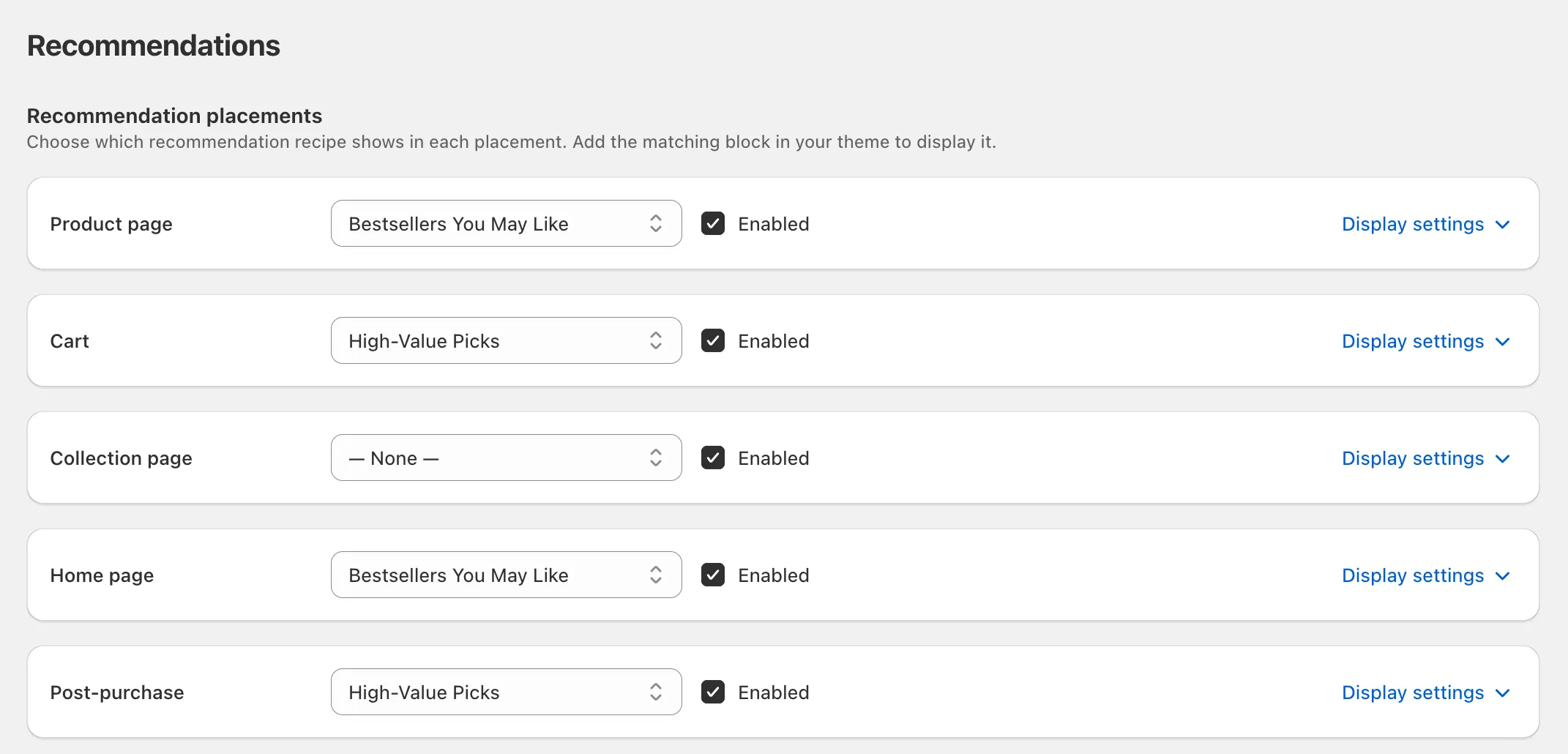
- Add the section in your theme editor where you want the row to render, and select which placement it represents. One section, added once; everything else is controlled from the app.
Display settings
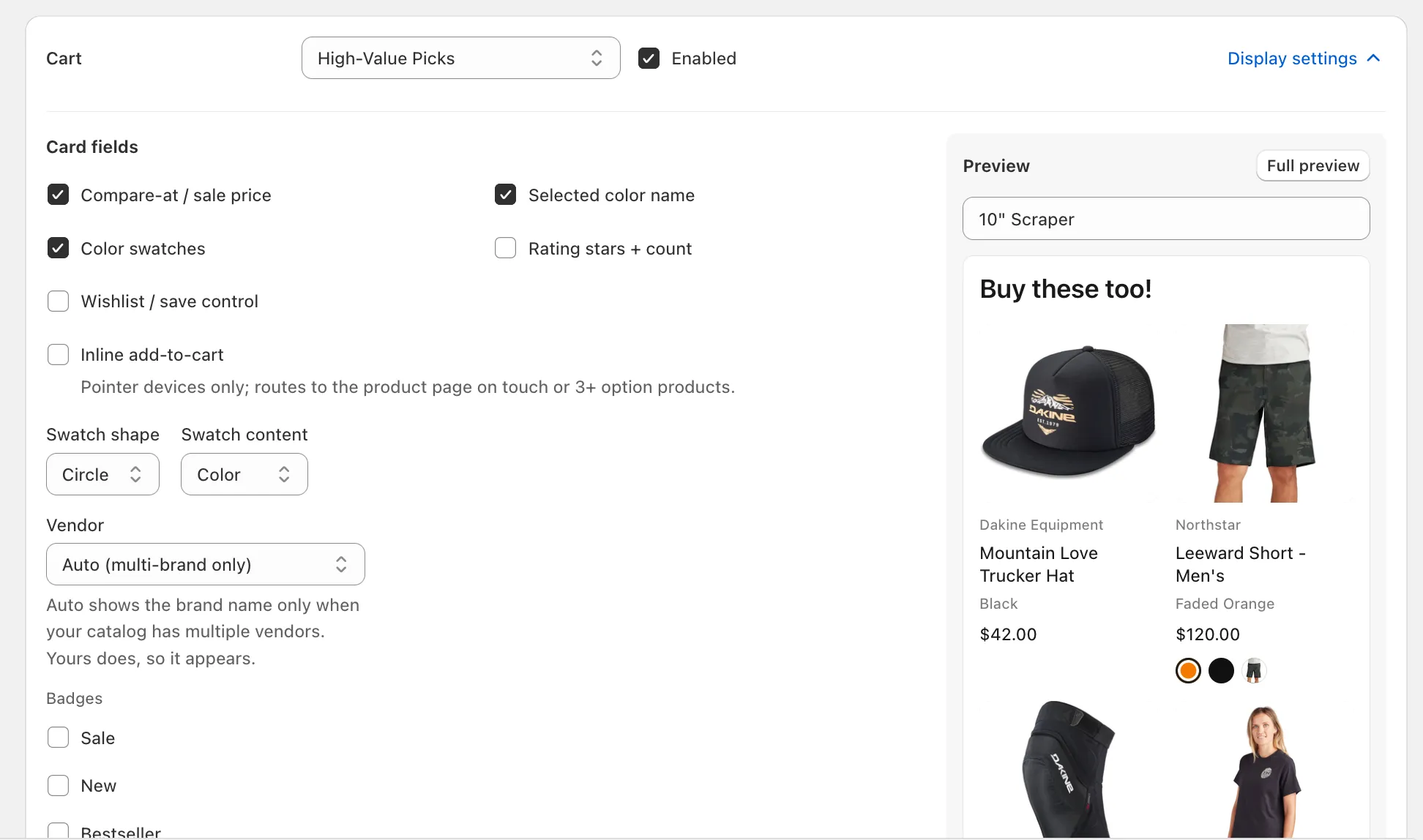
Section titled “Display settings”Every placement has its own display settings, so the cart row can look different from the product-page row:
- Card fields: compare-at price, color name, swatches, star ratings, wishlist control, quick add-to-cart.
- Badges: sale, new, bestseller, and low stock, each with its own colors and label text (translatable per language).
- Image: aspect ratio and hover-to-see-second-image.
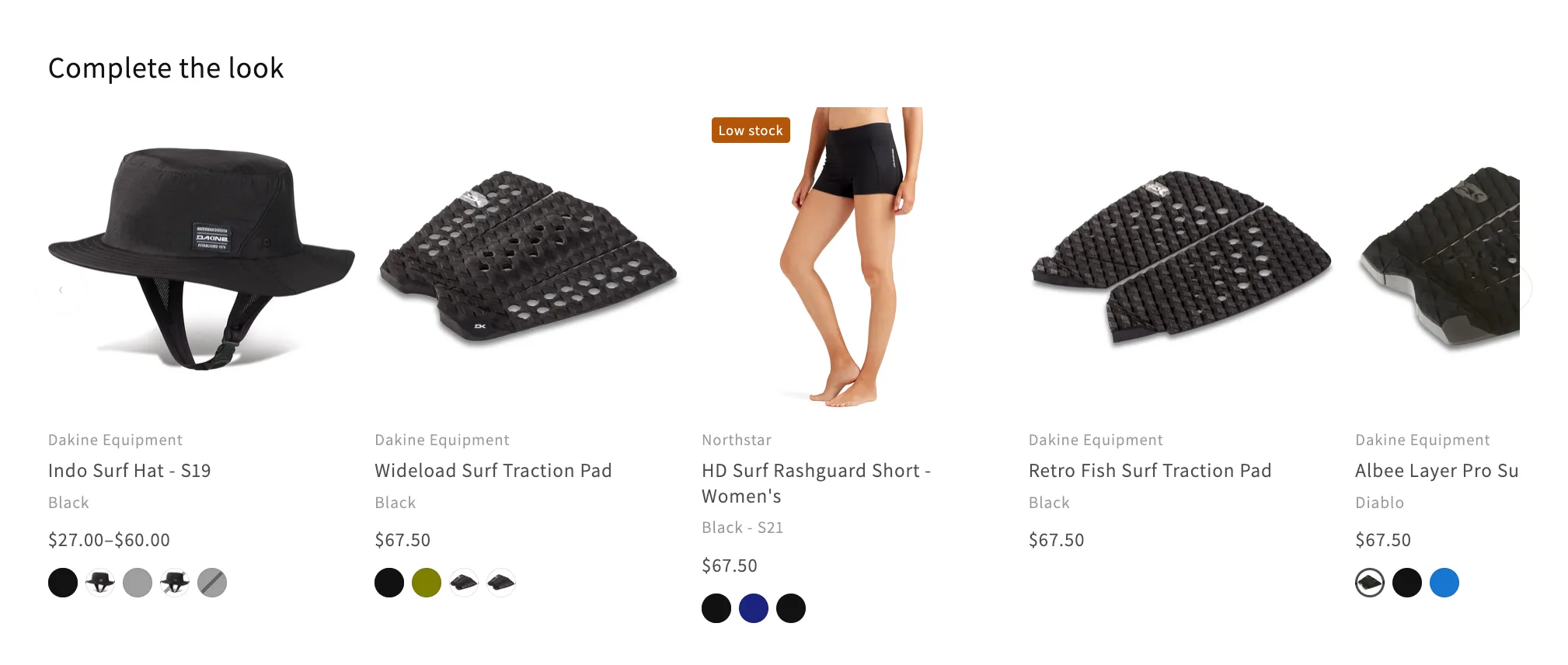
- Layout: grid or carousel, cards per row per device, and a minimum count below which the row hides itself rather than look sparse.
- Behavior: how sold-out items are handled, a per-brand cap for multi-vendor catalogs, and the quick-add overlay styling.
- Heading: the row’s title, translatable per language.
Previewing
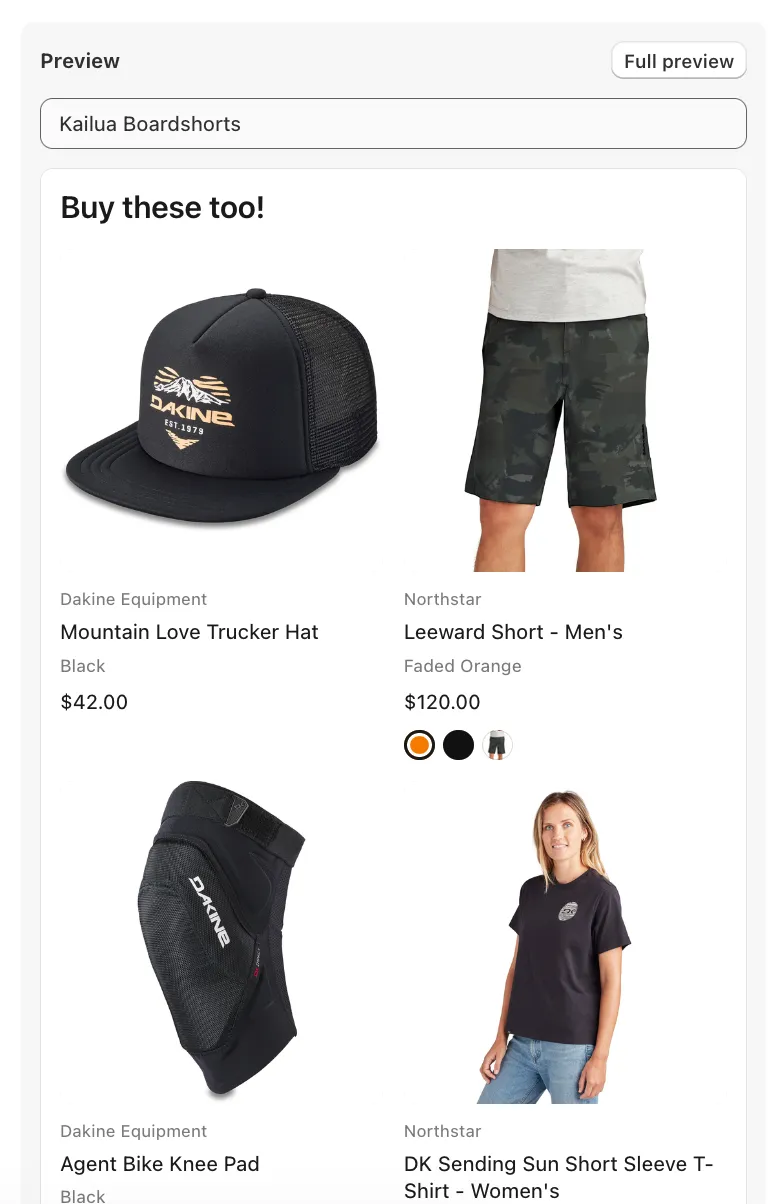
Section titled “Previewing”Each placement card has a live preview: pick any product as the seed and see the exact cards the storefront will serve, restyled instantly as you change settings. The Full preview button opens a desktop-width version.
Measuring results
Section titled “Measuring results”Dynasort records every recommendation serve and tracks what shoppers do with it: clicks (with position), adds to cart, and checkouts that follow. Open any recommendation recipe to see totals in the sidebar and a day-by-day serving table.
Customizing the look (CSS)
Section titled “Customizing the look (CSS)”The widget ships without !important rules so your theme CSS can override anything. The root element .dynasort-recs exposes custom properties:
.dynasort-recs { --ds-cols-desktop: 5; /* cards per row per breakpoint */ --ds-gap: 1.25em; --ds-radius: 10px; /* image corner radius */ --ds-aspect: 1 / 1; /* card image aspect ratio */ --ds-swatch-size: 1.8em;}Element classes: .dynasort-recs__card, __media, __title, __price, __vendor, __badges, __swatches, __sizes (the quick-add size picker), __heading, __arrow (carousel navigation).
- Different placements deserve different recipes: “frequently bought together” logic suits the cart, while discovery-oriented recipes suit the home page.
- Use the per-brand cap on multi-vendor catalogs so one brand doesn’t monopolize the row.
- Set Minimum to show to at least 2. A recommendation row with one lonely product does more harm than good.
Frequently asked questions
What is a placement in Dynasort product recommendations?
A spot on the storefront where a recommendation row renders: product page, cart, collection page, home page, or one of up to five custom placements. Each placement is bound to a recommendation recipe that decides which products appear and in what order.
How does Dynasort choose which products to recommend?
By recipe and context. Product-page rows relate to the product being viewed, cart rows consider everything in the cart and never repeat what is already in it, and home or custom rows are store-wide picks. Each recipe also sets a source strategy: the whole catalog or a scope such as the seed product's collection.
Do product recommendations need theme changes?
One step: add the Dynasort recommendations section in the theme editor where you want the row and select which placement it represents. Everything else, including recipe, layout and card fields, is controlled from the app.
Can I style the recommendation cards to match my theme?
Yes. The widget ships without !important rules, so theme CSS overrides anything. The root .dynasort-recs element exposes custom properties for columns, gap, radius, aspect ratio and swatch size, and every element has a stable class such as .dynasort-recs__card.
How does Dynasort measure recommendation performance?
Every serve is recorded and then clicks with position, adds to cart and following checkouts are tracked, with totals in the recipe sidebar and a day-by-day table. Attribution is conservative: only clicks on served cards count, adds count only for served products in the same visit, and a checkout counts only when a served product was added first.
Can I preview a recommendation row before it goes live?
Yes. Each placement card has a live preview: pick any product as the seed and see the exact cards the storefront will serve, restyled instantly as you change settings.
How do I stop one brand from filling the whole row?
Set the per-brand cap in the placement's behaviour settings. It limits how many cards a single vendor can occupy, which matters on multi-vendor catalogs.
Do recommendations count against my plan?
Yes. Each recommendation row delivered to a shopper is one serve. Monthly allowances are 10,000 on Demo, 100,000 on Basic, 1,000,000 on Pro and unlimited on Enterprise. See Plans and Billing.