

Continue Selling When Out of Stock
The Continue Selling When Out of Stock attribute identifies products that Shopify will keep selling after their inventory reaches zero. These are typically made-to-order items, pre-orders, dropshipped products, or digital goods, things you can fulfill regardless of the stock count. This attribute lets you treat them differently from the rest of your catalog, either by boosting them so they never get buried, or by gathering them into a dedicated managed collection.
Available for: Collection Sorting (Recipes) and Managed Collections.
How it works
Section titled “How it works”In Shopify, each product variant has an “Continue selling when out of stock” setting. When it is on, customers can keep buying that variant even after its quantity drops to zero.
A product earns this attribute when any one of its variants has that setting turned on. You do not need every variant to continue selling, a single qualifying variant is enough for the whole product to score. This matches how merchants usually think about it: if a product can still be ordered in some form, it counts.
Configuration
Section titled “Configuration”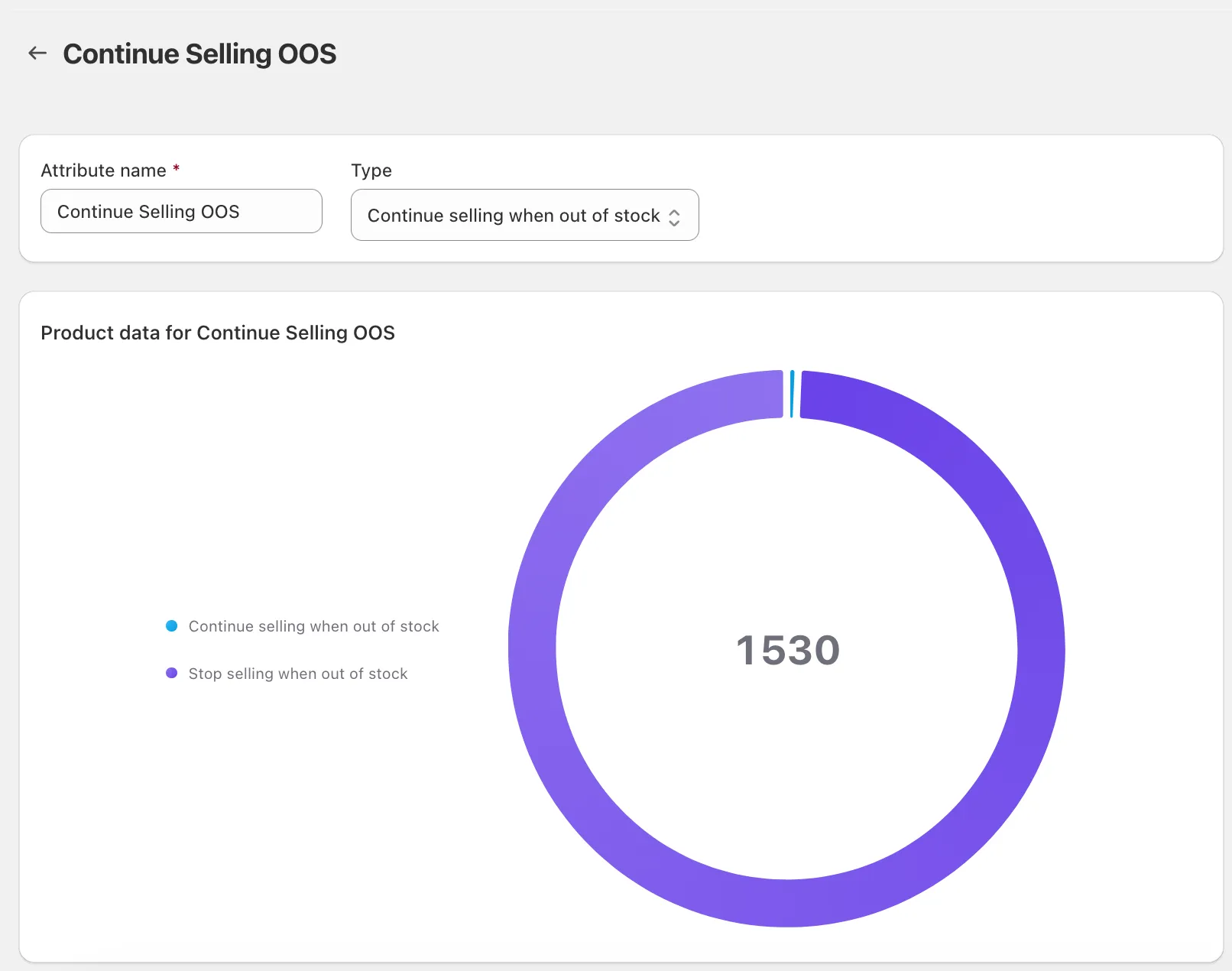
There is nothing to configure beyond the point weight. Like other yes/no attributes, it is all-or-nothing: a product with at least one continue-selling variant earns the attribute’s full point weight, and every other product earns zero.
The attribute’s page also shows a breakdown of your catalog: how many products continue selling when out of stock versus how many stop selling. This is a quick way to gauge how much of your store the attribute will affect before you add it to a recipe.
| Setting | What it does | Default |
|---|---|---|
| Points | The weight added when the product qualifies | Your choice |
Use a positive weight to push continue-selling products up (useful when those are your evergreen, always-available items you want shoppers to find first). Use a negative weight to push them down (useful if you would rather lead with products that have real, countable stock on hand).
Using it in a Managed Collection
Section titled “Using it in a Managed Collection”As a managed collection condition, it reads as a simple true/false test:
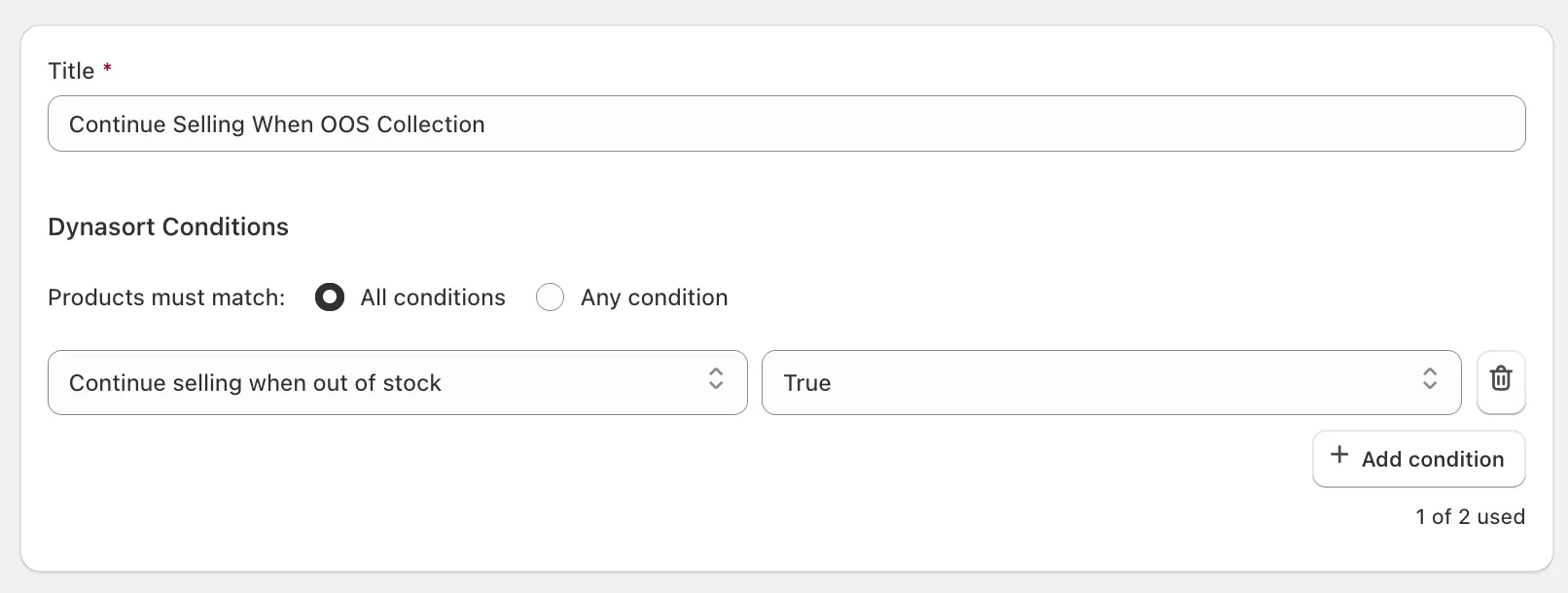
Continue Selling When Out of Stock is [true / false]
- true selects every product with at least one continue-selling variant.
- false selects products where no variant is set to continue selling.
This makes a self-maintaining “Always Available” collection a one-condition setup: products join as soon as a variant is set to continue selling, and drop out if that setting is later turned off.
Methodology and notes
Section titled “Methodology and notes”- The check is at the variant level, combined to the product: one qualifying variant marks the whole product. A product with twenty variants where only one continues selling still qualifies.
- It is independent of current stock. A continue-selling product qualifies whether it is sitting at 500 units or already at zero.
- This attribute is about the continue selling setting specifically. If your goal is to push genuinely out-of-stock items down, use the Sold Out attribute instead; the two are complementary and can be combined in one recipe.
- Newly installed stores and recently changed products reflect the latest setting on the next regular processing cycle, so a change made in Shopify is picked up within the normal sync window for your plan.
- Pair a positive weight with your behavioral attributes so always-available products that shoppers also engage with rise to the top, while letting genuinely scarce in-stock items still compete on their own merits.
- If you dropship or make items to order, a managed “Always Available” collection built on this condition gives shoppers a browsable shelf of everything you can fulfill at any time.
- Combine it with Sold Out in a single recipe to express a clear priority: surface products that are either in stock or can still be ordered, and push down only the ones that are truly unavailable.
Frequently asked questions
What does the Continue Selling When Out of Stock attribute identify?
Products where at least one variant has Shopify's 'Continue selling when out of stock' setting turned on, typically made-to-order, pre-order, dropshipped or digital items that can still be bought at zero inventory.
Does every variant need the setting for the product to qualify?
No. A single qualifying variant marks the whole product. A product with twenty variants where one continues selling still counts.
Does this attribute look at stock levels or sales?
Neither. It reflects the current variant configuration only. A product qualifies the moment a variant is set to continue selling, whether it has 500 units or zero.
How is it scored, and can the weight be negative?
All or nothing: a qualifying product earns the full point weight and every other product earns zero. Use a positive weight to keep always-available products visible, or a negative weight to lead with products that have countable stock.
How do I build an Always Available collection?
Create a managed collection with the single condition 'Continue Selling When Out of Stock is true'. Products join when a variant is set to continue selling and leave when that setting is turned off.